Google Ads can look fine on day one and still send clicks that never turn into calls. A weak setup pays for clicks that never call, however good the ad copy is.
We review and run Google Ads for home services businesses. Before we spend the first dollar on any account, we check the same five things. This is that checklist. Each point covers what it is, why it matters for your money, and one question you can ask about your own account.
You don’t need to be a Google Ads expert to run these checks. You need to know your own business: the services you sell, the area you can cover, and when someone can answer the phone.
The short version
- Account structure: one service per ad group, each with its own keywords.
- Landing page: the page matches the ad and makes calling or requesting a quote easy.
- Service areas: ads show only where you do the work.
- Conversions and ad schedule: calls and forms are counted, and ads run when someone can answer.
- Tablet bid adjustment: set to -100%.
1. Account structure
What it is: You list the services you sell, then group the search terms people type for each one into its own ad group.
Why it matters: When several services share one ad group, the ad can’t speak to any of them well. You pay for the clicks anyway, and you can’t tell which service is bringing in calls. The words also decide who you pay for. Someone searching for an emergency plumber is not the same customer as someone planning a bathroom remodel, and they need different ads.
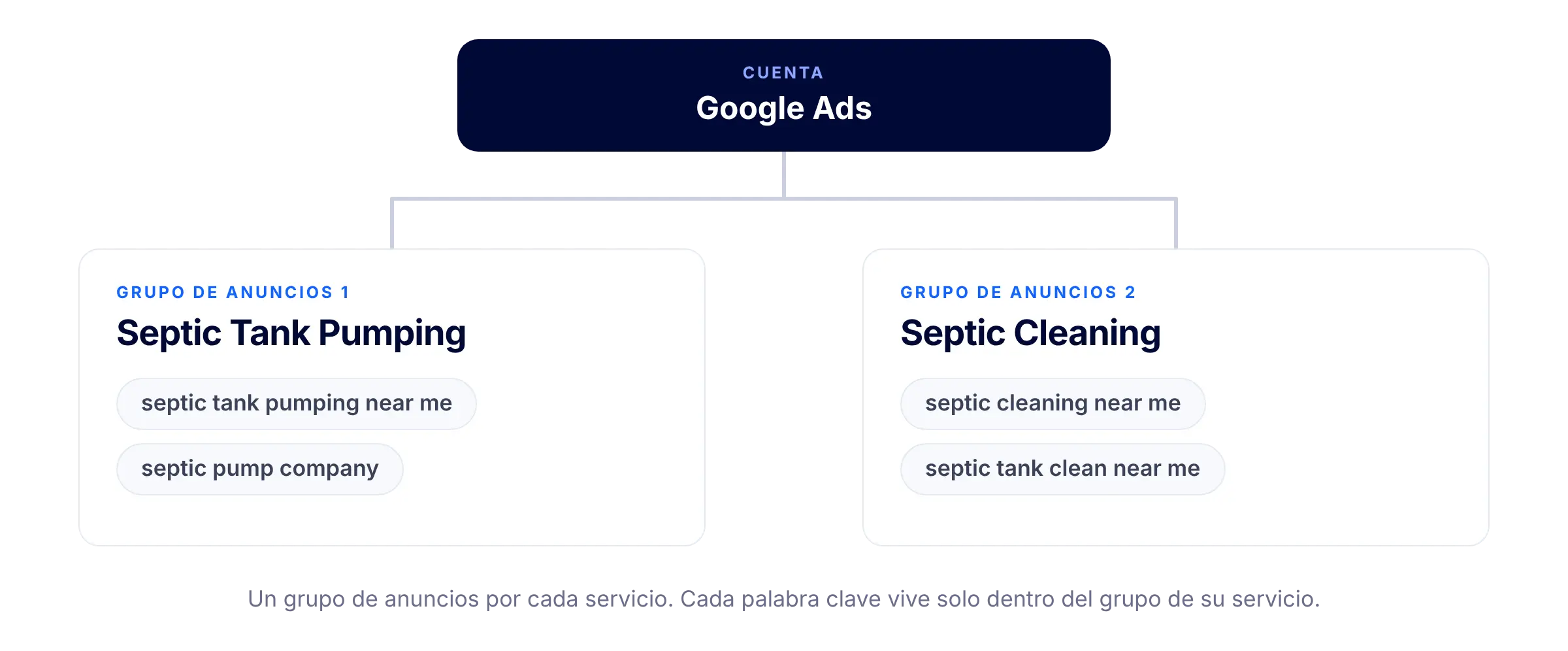
How to check it: Pick any ad group. Does it cover one service, and do its keywords match that service?
2. Landing page
What it is: The page people see after they click your ad. It should be about the exact service the ad promised.
Why it matters: You can have the best ad in the account and still lose the lead on the page after the click. A visitor who lands on a generic homepage, with no clear phone number or form, has to work to contact you, and many leave. Ads sent to a page like that perform much worse.
How to check it: Open the page your ads send people to, on your phone. Does it name the same service, and can you call or request a quote in one tap?
If you are still choosing who builds that page, our guide on how to choose a web design company covers what to look for.
3. Service areas
What it is: The places where your ads are allowed to show. They should show only where you serve, and exclude everything else.
Why it matters: Without that limit, your ads can reach people searching from far outside your territory. You pay for those clicks, and your team can’t take the job. The money is gone before anyone answers the phone.
How to check it: Look at the farthest area your ads reach. If a call came in from there tomorrow, would you take the job?
If you run a home services business and want a second pair of eyes on your setup before you spend, tell us.
4. Conversions and ad schedule
What it is: The actions Google counts as a result, such as phone calls and form submissions, and the hours your ads are allowed to run.
Why it matters: Google can only improve a campaign toward results it can see. If calls and forms aren’t counted, you’re optimizing blind. Ads that run when nobody answers the phone pay for leads you can’t reach.
How to check it: If a customer called at 7 p.m. tomorrow, would someone pick up, and would your account record that call?
5. Tablet bid adjustment
What it is: A setting that tells Google how much to pay for clicks from tablets. We set it to -100%, which stops your ads from showing on tablets.
Why it matters: In our experience, tablet traffic rarely turns into calls or forms for local services. Paying for those clicks means paying for traffic you don’t need.
How to check it: Think about last month’s calls and forms. Did a single one come from a tablet?
The checklist
Save this, or print it before you open Google Ads.
☐ Account structure: one service per ad group, each with its own keywords.
☐ Landing page: names the advertised service, with a call or quote request one tap away.
☐ Service areas: ads show only where you do the work.
☐ Conversions and ad schedule: calls and forms are counted, and ads run when someone can answer.
☐ Tablet bid adjustment: set to -100%.
After you launch
The reel ends with a joke: publish it, and pray that it works.
Here is the part that isn’t a joke. Launching is not the end of the setup. After launch, you watch the campaign: what it brings in, what it costs, and whether calls come in during the hours you’re open. You don’t pray. You check.
Want us to review your account?
If you run a home services business, send us a message and we’ll review your setup. We’ll tell you what we find. We don’t promise results, but we will be straight with you about what we see.
Tell us about your business and the account you’re running, and we’ll take a look.